Get the Most from Your
SpeakerFLYWHEEL™
67,000+ Strategic Speakers are building here. Find answers, watch tutorials, and activate every step of your flywheel.
Watch the video above first, then search for anything you need below.
Can't find what you need?
How to Activate Your SpeakerFLYWHEEL™
Watch this before anything else. In 5 minutes you'll know exactly what to do first, what to build next, and how each step of the flywheel pays you more over time.

Your SpeakerPAGE is your credibility anchor: the link you put everywhere, the page planners find on Google, and the foundation every other step builds on.

SpeakerLEADS gives you access to over 3,500,000 contacts. Reach event planners, podcast hosts, and conference organizers at scale.

SpeakerCRM keeps every conversation organized, tracks your opportunities, and prepares you for every booking from first contact to confirmation.

SpeakerCTA captures verified reviews from your audience and organizer in real time. Social proof that makes the next booking significantly easier.

Audience members join your SpeakerHUB community. Your audience compounds automatically with every engagement, talk, and interaction.

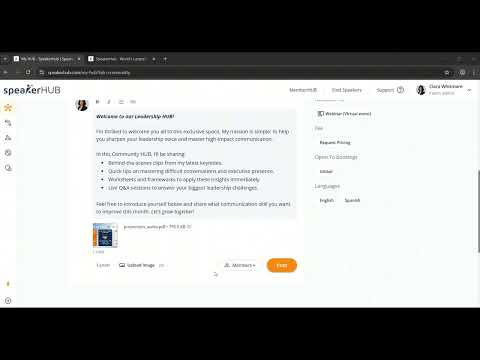
SpeakerLIBRARY powers your courses, coaching, and digital products. Recurring income that grows every time the wheel goes around.
Learn by Flywheel Step
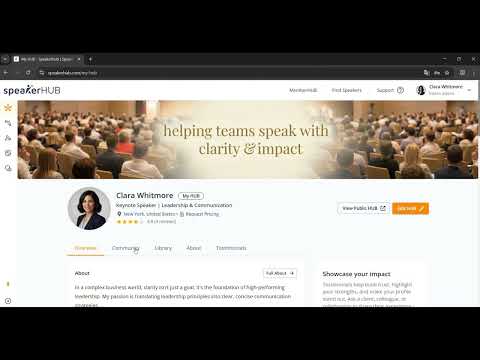
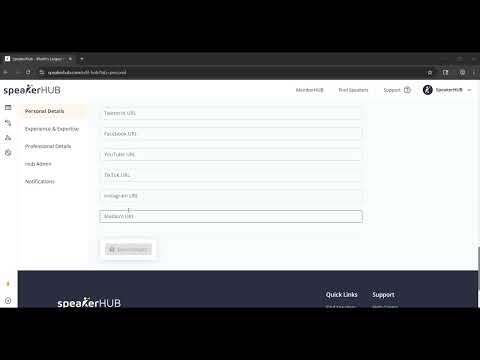
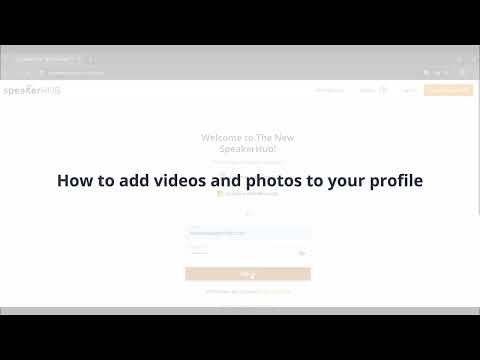
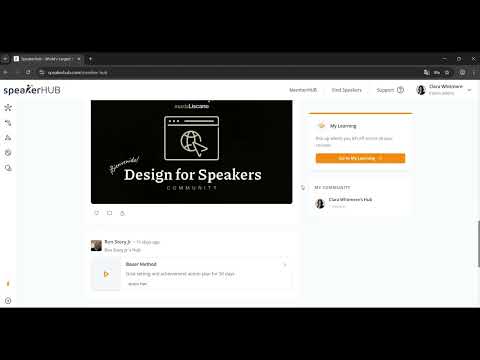
Each tutorial is mapped to a step in the SpeakerFLYWHEEL™ — watch in order to build momentum fast.

Frequently Asked Questions
Answers to the most common questions from Strategic Speakers — organized by product.
 General
Here's how to fix it:
- Click Continue with Google on the SpeakerHUB sign-in page.
- A Google window will pop up showing a list of your Google accounts.
- Look at the list carefully and click the account you used when you signed up for SpeakerHUB.
- If you don't see the right account in the list, click Use another account and sign in with the correct email and password.
- Once you pick the right account, SpeakerHUB will sign you in.
Tip: if you are not sure which Google account you used, check your email inbox for a welcome message from SpeakerHUB. The address that received it is the one to use.
We do this on purpose. Google and Microsoft already keep your password safe and let you sign in with one click, so you do not have to remember another password or worry about resetting it.
Important: this rule is only for signing in to your account. Once you are inside SpeakerHUB, you can still connect other email addresses (like Yahoo, Outlook, or your business email) to send outreach messages to podcasts, organizers, and prospects. You just cannot use those emails to log in.
If you do not have a Google or Microsoft account, you can create a free Google account at accounts.google.com and then use it to sign up for SpeakerHUB.
 SpeakerPAGE
If your profile is below 75% complete, it will sit in the queue until you finish it. The more complete and professional your profile looks, the faster it gets approved.
To speed things up:
- Sign in to SpeakerHUB and open My Hub.
- Look for the Complete Your Profile card in the right column. It shows your progress percentage and a checklist of what's missing.
- Work through the checklist, especially your photo, bio, topics, and past speaking experience.
- Once you reach 75% or more, our team will review your profile and approve it.
- Professional speakers, experts, authors, coaches, and founders
- People who share knowledge and meet our community guidelines
- Business or company profiles (SpeakerHUB is for individual experts, not brands)
- Spam or fake accounts
- Profiles that promote violence, hate speech, or harassment
- Profiles that promote illegal activity, gambling, adult content, or anything harmful
 SpeakerLEADS
- 3M+ podcasts — ranked and filtered by niche, audience size, and topic
- 200,000+ association meeting planners — organizations that book speakers for annual events
- 170,000+ media outlets — TV, radio, print, digital
- 44,000+ conferences — industry events worldwide
 SpeakerGPT — Pitching & Outreach
 SpeakerCRM — Managing Your Pipeline
 Hubs & Courses
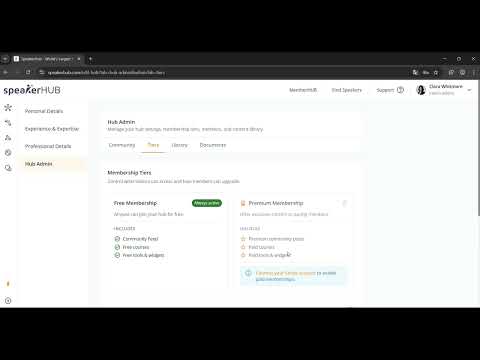
- Be SEEN: 1 Hub (free)
- Get PAID: 2 Hubs (1 free + 1 premium)
- Agency: Unlimited Hubs for all clients, 0% revenue share
 Plans & Billing
- Get LISTED — Free. Basic SpeakerPAGE and directory listing.
- Be SEEN — $7/mo. Full profile, unlimited media, visibility boost.
- Get PAID — $19/mo. Adds SpeakerLEADS, SpeakerGPT, SpeakerCRM, and SpeakerCTA.
- AUTOMATE It — $47/mo. Adds campaign automation and bulk outreach.
- Agency — $997/mo. For bureaus and agencies managing multiple speakers. Unlimited everything, dedicated account manager, and 1,500 leads per month.
Still have questions?
We're here to help.
Our support team typically replies within a few hours. Or browse our tutorials above — most answers are in there.
Frequently Asked Questions
General Information
How is SpeakerHUB different from LinkedIn?
SpeakerHUB is specifically designed for speakers and offers a suite of tools and features tailored to your success:
SpeakerPAGE: Your professional portfolio page, built specifically for speakers, to showcase your expertise and make you stand out.
SpeakerCRM: Manage your leads, outreach, and follow-ups in one place.
SpeakerLEADS: Access an extensive database of podcasts, media outlets, conferences, and associations.
WriterAI: Generate professional and tailored pitches seamlessly.
Self Promoted: A training bootcamp and accelerator program to help you master the art of booking gigs.
How can I start leveraging SpeakerHUB today?
The best way is to use a strategy that works for your current Speaking Level. If you'd like to know your current level, take the free quiz!
How do I connect with the people who actually book gigs? How do Speakers get booked?
Connecting with key decision-makers in the Speaking and Events industry can be challenging. Finding the right people and events for a specific kind of audience is even more difficult. That's why we created SpeakerHUB PRO, a comprehensive associations, conferences, and podcasts database that helps you connect with the right people to fast-track your efforts into a profitable business.
Sign-up for free and use the SpeakerHUB PRO database and CRM. It includes:
A vast, up-to-date database of decision-makers, including podcast hosts, conference organizers, and associations
AI-powered help to connect you with the right events, according to your niche and expertise
Tools to pitch directly and follow up consistently, helping you secure bookings faster
How does the SpeakerHUB pricing work?
The free version of SpeakerHUB is available for everyone. Paid plans vary depending on the product.
If you're not sure about what plan is convenient for you, we recommend you take the challenge and the SpeakerSTATUS quiz.
For the SpeakerPAGE, we have Free, Silver and Gold subscriptions available. You can check them out here.
For SpeakerHUB PRO, the SpeakerLEADS (opportunities), CRM, and WriterAI system, we have multiple plans available. Apply now to get information on current pricing.
Is SpeakerHUB free to use?
We have free options available, as well as paid tiers. We provide a free assessment through SpeakerSTATUS, and you can also get actionable feedback on your speaking by using SpeakerCOACH. However, to truly access the power of SpeakerHUB, we suggest you take the challenge and get onboard!
Can I cancel at any time?
Yes. You can cancel anytime. Just click the cancel button. That's it. There's no minimum contract for SpeakerHUB — cancel at any time without penalty or hassle. If you have any issues with your cancellation, please send us an email to [email protected] and we will be happy to sort it out for you.
What happens when I cancel my current subscription?
Cancelling the subscription/upgrade/payment means the account remains intact but you lose access to certain features (such as the display of multiple videos/images on the SpeakerPAGE, but even these media contents remain in the account, they just don't show up on the public profile page without being upgraded).
Regarding SpeakerHUB PRO, you will not be able to keep pitching to the SpeakerLEADS unless you have an active subscription.
SpeakerPAGE
I need help creating sizzle reels, one-pagers, and other materials. Can you help?
Yes! Our design team is ready to help you craft professional materials like: • Sizzle reels • One-pagers • Custom speaker pitches.
Contact us at [email protected] for a quote and get started on creating materials that showcase your best
If I sent you my speaker profile (PDF), could you fill out my profile on SpeakerHUB for me?
We are delighted to help you in completing your profile. We do offer a profile completion service for a fee of $100. Our team can ensure that your profile is filled out accurately and completely, saving you time and effort. If you are interested in this service, please let me know, and I can provide you with further details.
How do I connect with the people who actually book gigs?
Connecting with key decision-makers in the Speaking and Events industry can be challenging. Finding the right people and events for a specific kind of audience is even more difficult. That's why we created SpeakerHUB PRO, a comprehensive associations, conferences, and podcasts database that helps you connect with the right people to fast-track your efforts into a profitable business.
Sign-up for free and use the SpeakerHUB PRO database and CRM. It includes:
A vast, up-to-date database of decision-makers, including podcast hosts, conference organizers, and associations
AI-powered help to connect you with the right events, according to your niche and expertise
Tools to pitch directly and follow up consistently, helping you secure bookings faster
I am a Silver status member. When I paste a keynote description, I get a validation error saying ‘Description needed.’ What else is needed to complete my profile?
Please make sure all fields are filled out as instructed and that your description meets the word count or character limit requirements. If you are still experiencing issues, please let us know.
What type of events can I list in the “Events” tab on my profile? Can I include podcasts?
Yes, you may list podcasts, speaking engagements, and other relevant events that showcase your experience as a speaker.
How do I delete a testimonial I posted from someone?
Go to your Dashboard, navigate to the Testimonials section, and select the option to delete the testimonial you wish to remove.
I have a duplicate profile. Can you help merge it?
We appreciate you reaching out to us regarding your SpeakerPAGE. Please send us an email and we will be happy to sort it out for you.
SpeakerPAGE
I need help creating sizzle reels, one-pagers, and other materials. Can you help?
While we don't offer creation directly to our clients, we do include consultations from our whole team to paid users. Our design and marketing team is ready to advise you on how to craft professional materials like: • Sizzle reels • One-pagers • Custom speaker pitches
Contact us at [email protected] and get started on creating materials that showcase your speaker brand!
If I sent you my speaker profile (PDF), could you fill out my profile on SpeakerHUB for me?
We currently do not offer a service to fill-out a profile for you. If you do not have the time but want to get the benefits of having a SpeakerPAGE completely filled out, we advise hiring into your team a Virtual Assistant.
How do I connect with the people who actually book gigs?
Connecting with key decision-makers in the Speaking and Events industry can be challenging. Finding the right people and events for a specific kind of audience is even more difficult. That's why we created SpeakerHUB PRO, a comprehensive associations, conferences, and podcasts database that helps you connect with the right people to fast-track your efforts into a profitable business.
Sign-up for free and use the SpeakerHUB PRO database and CRM. It includes:
A vast, up-to-date database of decision-makers, including podcast hosts, conference organizers, and associations
AI-powered help to connect you with the right events, according to your niche and expertise
Tools to pitch directly and follow up consistently, helping you secure bookings faster
I am a Silver status member. When I paste a keynote description, I get a validation error saying ‘Description needed.’ What else is needed to complete my profile?
Please make sure all fields are filled out as instructed and that your description meets the word count or character limit requirements. If you are still experiencing issues, please let us know.
What type of events can I list in the “Events” tab on my profile? Can I include podcasts?
Yes, you may list podcasts, speaking engagements, and other relevant events that showcase your experience as a speaker.
How do I delete a testimonial I posted from someone?
Go to your Dashboard, navigate to the Testimonials section, and select the option to delete the testimonial you wish to remove.
I have a duplicate profile. Can you help merge it?
We appreciate you reaching out to us regarding your SpeakerPAGE. Please send us an email to [email protected] and we will be happy to sort it out for you.
SpeakerLEADS
What are SpeakerLEADS?
SpeakerLEADS is an AI-powered platform designed to help speakers book opportunities in podcasts, conferences, associations, and traditional media outlets. It includes tools for crafting email pitches, tracking outreach, managing opportunities, and leveraging AI to simplify the speaker booking process.
What opportunities does SpeakerHUB provide access to?
The platform connects users to over 4 million opportunities, including:
• Podcasts: 3.5 million
• Conferences: 45,068
• Associations: 209,901
• Media Outlets: 173,000+
Why does my data on my SpeakerPAGE not appear in SpeakerHUB Pro automatically?
SpeakerHUB PRO is a separate platform with specific features, so your SpeakerPAGE data doesn’t automatically transfer. You may need to manually update your profile.
I still have pitches left, but the system does not allow me to make any more.
If you cannot send pitches despite available credits, try logging out and back in. If the issue continues, contact support to verify your pitch balance.
I just signed up for SpeakerHUB PRO, but I’m having trouble sending pitches. Who should I contact about the error message I’m receiving?
Please reach out to our support team for assistance with pitch errors, and include a screenshot of the error if possible.
Do you have customer service? I can’t send pitch emails, and it’s giving me an error. I tried a test email. If I can’t pitch, I’ll have to cancel.
We’re here to help! Please contact our support team with details about the error so we can resolve it quickly and ensure you can use all pitching features.
I am experiencing an issue with the email sequence tool in my account. Specifically, the “Send Email” button is unavailable, preventing me from completing my email sequence process.
We appreciate you reaching out to us. It looks like you missed to indicate a subject line. Please do so and let us know if you are still having issues.